Contemporary Controls: Understanding IP Router Firewall Settings

PBUS-37-Building-ContemporaryControls-400.jpg

February 28, 2022

IP routers connect two Internet Protocol (IP) networks together—passing appropriate traffic while blocking all other traffic using either a wired or wireless connection. Features like a firewall make the Wide Area Network (WAN) connection as secure as possible, but properly setting the firewall is a common IP router setup issue.

IP routers connect separate networks, allowing information to travel between devices located on different subnets. The networks may be physically separate, such as between a building management system and the Internet, or they may be logically separate, such as a machine subnet that shares cabling with an area controller. One side of the router is connected to the larger network called the WAN, while the other side is connected to the Local Area Network (LAN).

These two sides are logically separated by a firewall that puts up a barrier between the two subnets. It is a filter, allowing or restricting data traffic. Firewalls are flexible, allowing you to modify the blocking rules by protocol, by port, or by application software.

The firewall looks at the contents of the messages that pass through it. It allows messages from the local side to freely traverse through to the WAN side, while blocking the messages originating from the WAN side to reach the LAN side. This offers protection to the local devices behind the firewall. Messages or responses related to the requests from the LAN side devices are allowed through the firewall. The ability of the firewall to look at the messages and allow the related messages by looking at their status coincides with the term Stateful Firewall Inspection. The firewall is enabled by default on the Contemporary Controls IP routers for security.

While the messages originating from the WAN side are blocked, there is also the need to access LAN side devices for configuration and programming. The IP routers provide the ability to access these LAN side devices using advanced features, such as Network Address Translation (NAT), Port Forwarding and Port Range Forwarding, to go through the firewall. The IP routers provide the ability to enable or disable the firewall, but if using any of these advanced features, the firewall should be left enabled. If the firewall is disabled, then the IP router is just connecting two subnets together and no messages from the WAN side are blocked. Hence there is no need to use the advanced features like NAT, Port Forwarding or Port Range Forwarding to access the LAN side devices and these settings are not used. While setting up these advanced features, the common issue seen is that the firewall has been disabled on the IP routers because the user forgets to turn it back on after inadvertently turning it off while testing. Or, the user incorrectly assumes that the firewall must be disabled to traverse the firewall for LAN side device access.


Important_Links_Bar.jpg

https://www.buildingcontrolsgroup.com/news-events/contemporary-controls-understanding-ip-router-firewall-settings/


Related Articles

Network Infrastructure Featured Product Spotlight

PBUS 14 Panduit logo 400

This webinar presented by Beth Lessard and Keith Cordero will be highlighting three Panduit solutions that will optimize network equipment and cabling to ensure that your spaces are efficiently and properly managed to support ever-evolving business needs of today and beyond. Products that will be featured include PanZone TrueEdge Wall Mount Enclsoure, Cable Managers, and Adjustable Depth 4-Post Rack.

REGISTER HERE


Editor’s Pick: Featured Product News

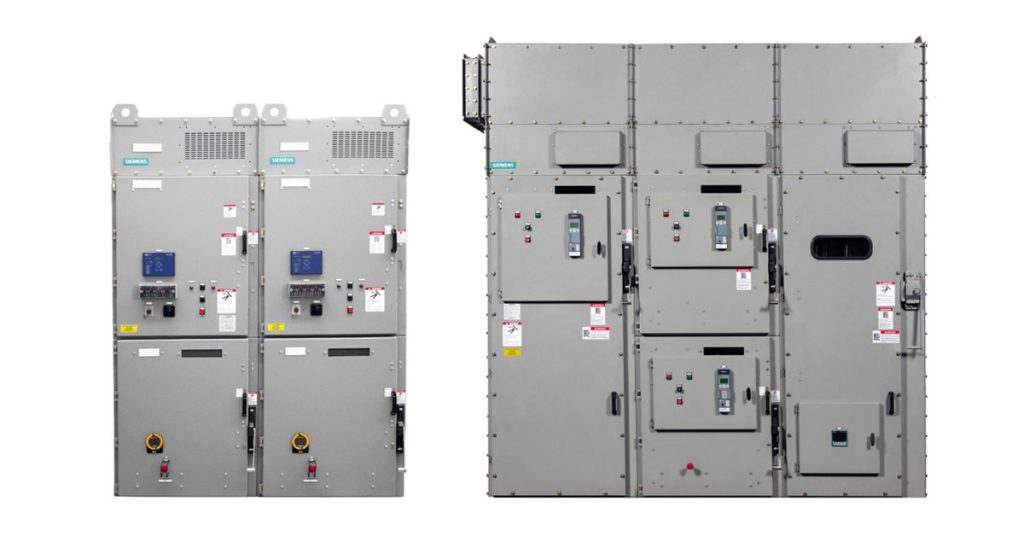
Siemens: SIMOVAC Non-Arc-Resistant and SIMOVAC-AR Arc-Resistant Motor Controllers

The Siemens SIMOVAC medium-voltage non-arc-resistant and SIMOVAC-AR arc-resistant controllers have a modular design incorporating up to two 12SVC400 (400 A) controllers, housed in a freestanding sheet steel enclosure. Each controller is UL 347 class E2, equipped with three current-limiting fuses, a non-load-break isolating switch, and a fixed-mounted vacuum contactor (plug-in type optional for 12SVC400). The enclosure is designed for front access, allowing the equipment to be located with the rear of the equipment close to a non-combustible wall.

Read More


Sponsored Content
Electrify Your Enterprise

Power is vital to production, and well-designed control cabinets are key. Allied Electronics & Automation offers a comprehensive collection of control cabinet solutions including PLCs, HMIs, contactors, miniature circuit breakers, terminal block connectors, DIN-rail power supplies, pushbutton switches, motor starters, overloads, power relays, industrial Ethernet switches and AC drives engineered to keep your operations running safely, reliably and efficiently.

Learn more HERE.


Products for Panel Builders

  • Omron: S8NR IP67 Power Supply

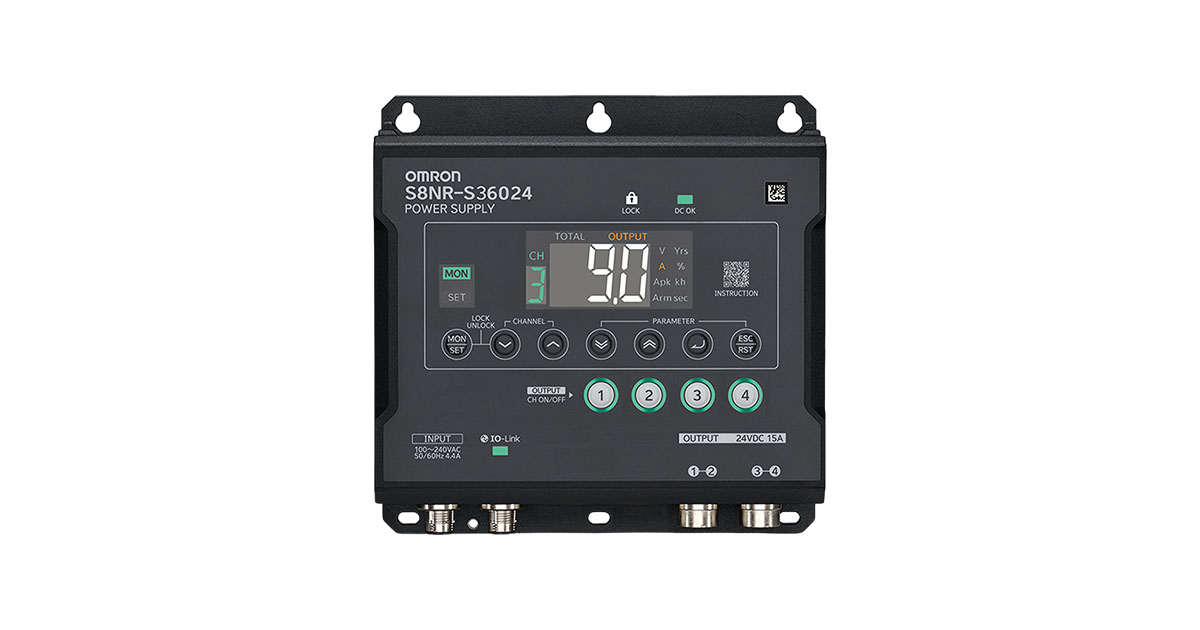
    Omron: S8NR IP67 Power Supply

    The OMRON S8NR Series is an IP67 rated industrial power supply designed for out of panel installation in harsh environments where dust, moisture, vibration, and accessibility challenges impact reliability. By moving the power supply outside the control panel, S8NR reduces enclosure complexity, electrical labor, and service time while maintaining stable, protected DC power delivery. Read More…

  • Altech Corp.: 85-A STH5 Hinge-Type Terminal Blocks Resist Vibrations and Provide Fast, Safe Access

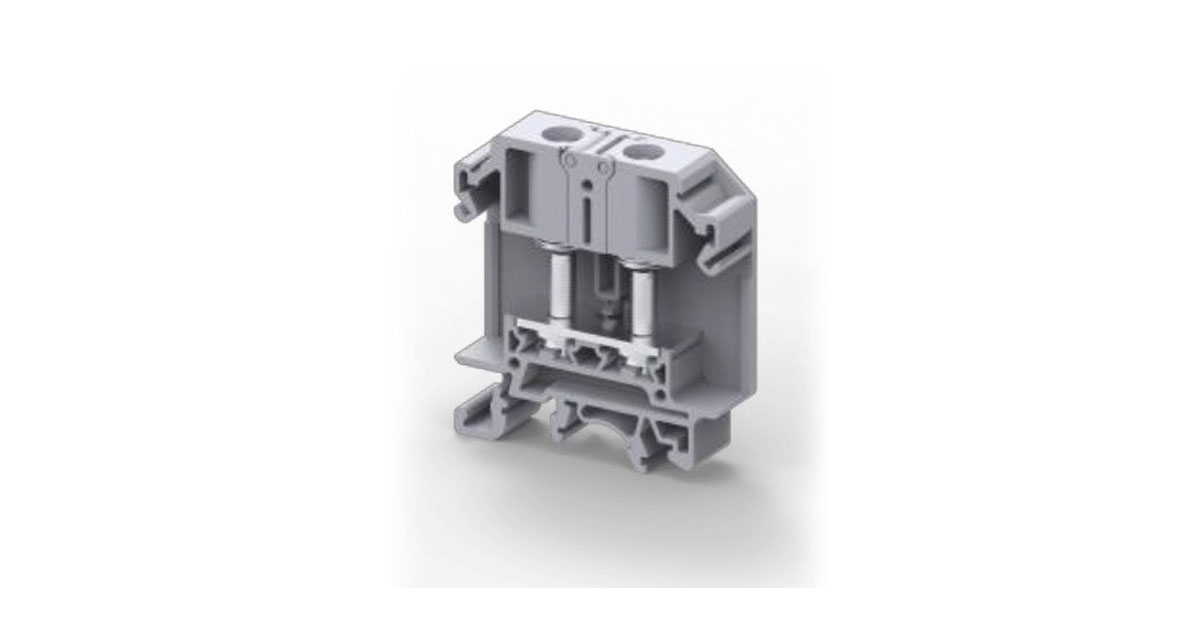
    Altech Corp.: 85-A STH5 Hinge-Type Terminal Blocks Resist Vibrations and Provide Fast, Safe Access

    In power distribution, heavy-duty machinery and transportation applications, vibrations can weaken a terminal block’s clamping power and loosen wire connections. The resulting power and signal failures can lead to unwanted system downtime, fire and shock risks, or other safety issues. Fortunately, one type of terminal block design makes secure connections possible while also providing easy… Read More…